
Navigation
Yuko Dashboard → Manage Reviews -> Questions & Answers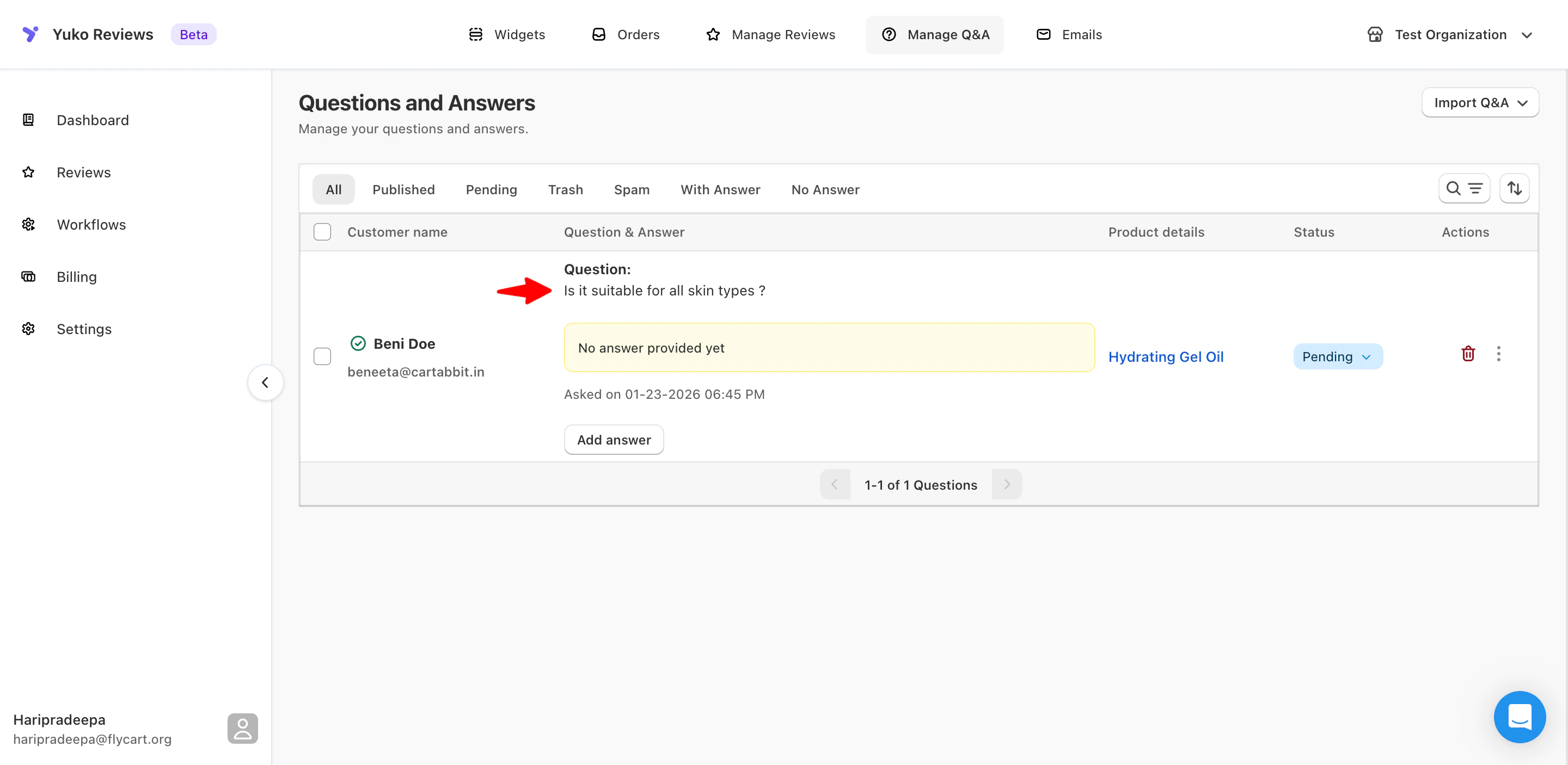
Overview The Questions & Answers panel gives you full control over product-related customer questions. For each question, you can view:
- Customer name and email
- Question content
- Date asked
- Associated product
- Current status
- Answer (if added)
- All
- Published
- Pending
- Trash
- Spam
- With Answer
- No Answer
Question Statuses
Each question can be managed using the Status dropdown:- Pending
The question is saved but not yet visible on the storefront. - Published
The question (and answer, if available) is live on the product page. - Trash
Temporarily removed from view. - Spam
Filters out unwanted or irrelevant submissions.
Managing Questions
Use the Actions menu next to each question to manage it.| Action | Description |
|---|---|
| Publish | Makes the question visible on the storefront |
| Trash | Moves the question to Trash |
| Spam | Marks the question as spam |
| Change product | Reassigns the question to a different product |
| Delete | Permanently removes the question |
Answering Questions
You can reply to customer questions directly from the dashboard.To add an answer:
- Go to Manage Q&A
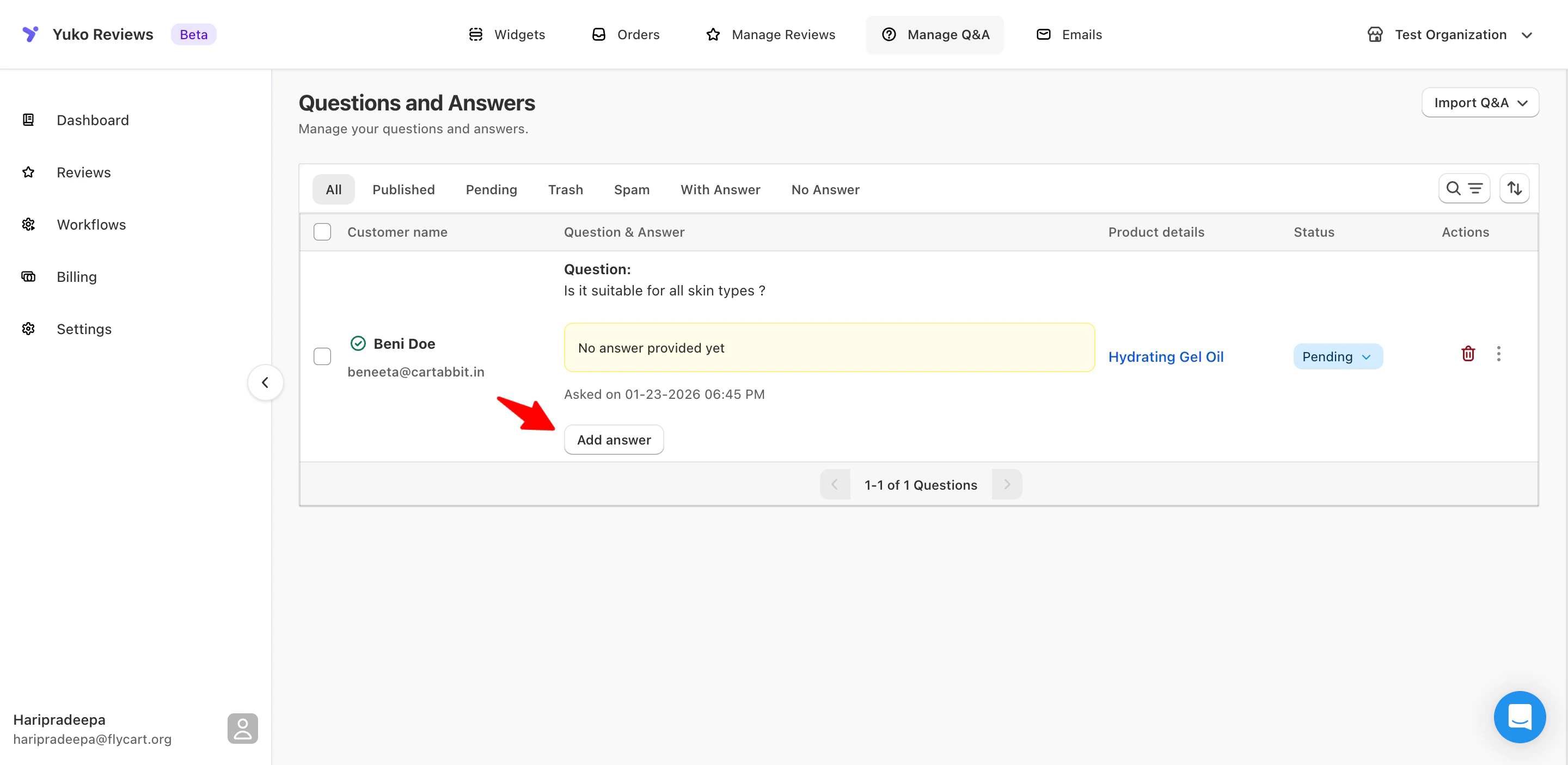
- Locate a question with No answer provided yet
-
Click Add answer
-
Enter your response

-
Choose if you want to publish the question or notify customer
For notifying customers, you need to have “Question answered & approved email” template enabled
Editing or Removing an Answer
- Click Edit answer to update your response
- Use the delete icon to remove an answer if needed