
This is helpful for items like gift cards, free samples, or discontinued SKUs. To exclude products:
- Go to Settings → Reviews → Manage Exclusions.
- Under Product Blacklist, click Add Product.
- Enter the Product ID or SKU.
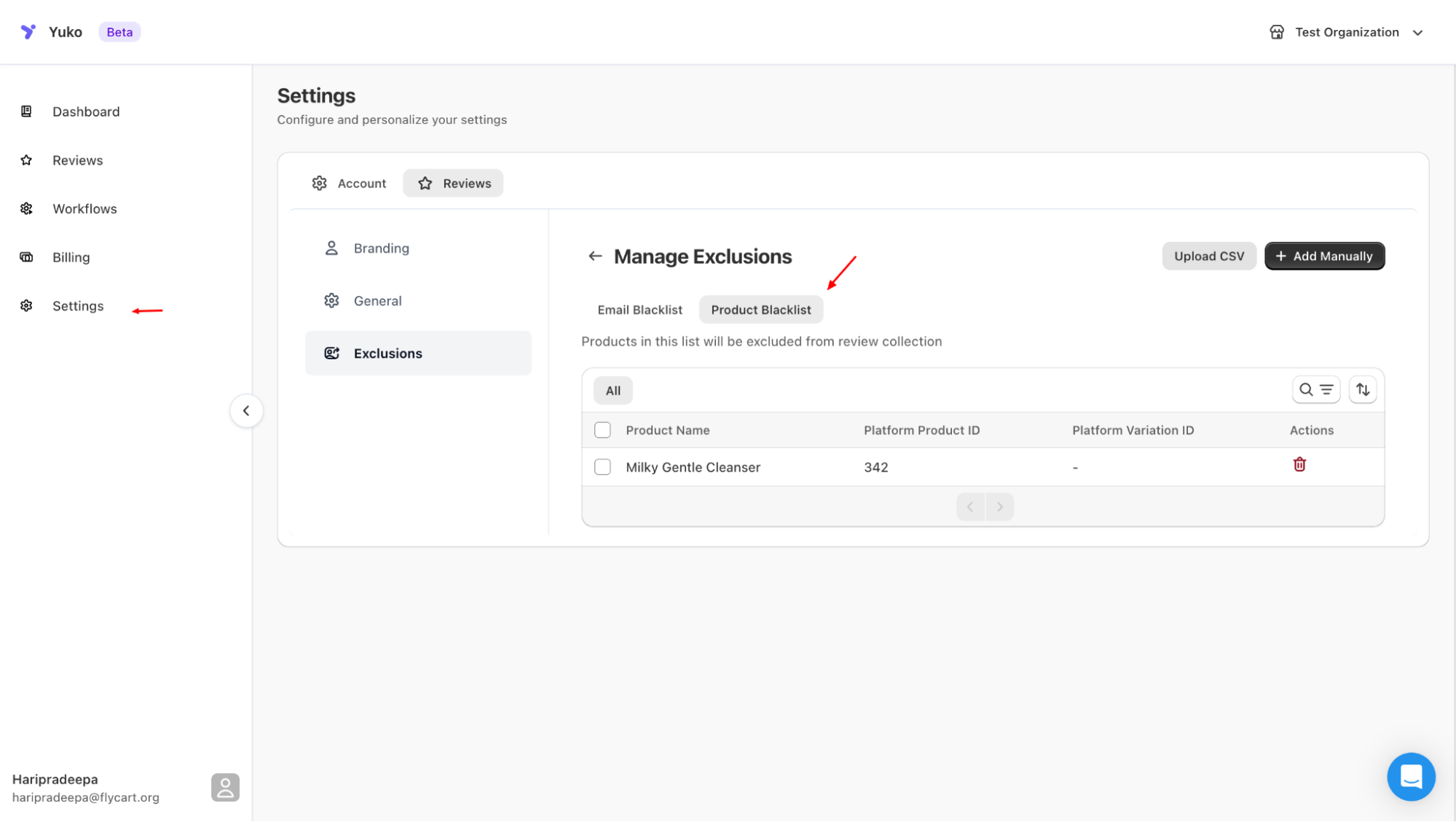
Use product-level blacklisting to disable reviews for selected items.