
A well-placed carousel helps increase trust, highlight top feedback, and improve conversions.
How it looks You can add the Carousel Widget to:
- The homepage
- Landing/offer pages
- Testimonial sections
- Product or collection pages
Navigation
Yuko Dashboard → Reviews → Widgets → Review Carousel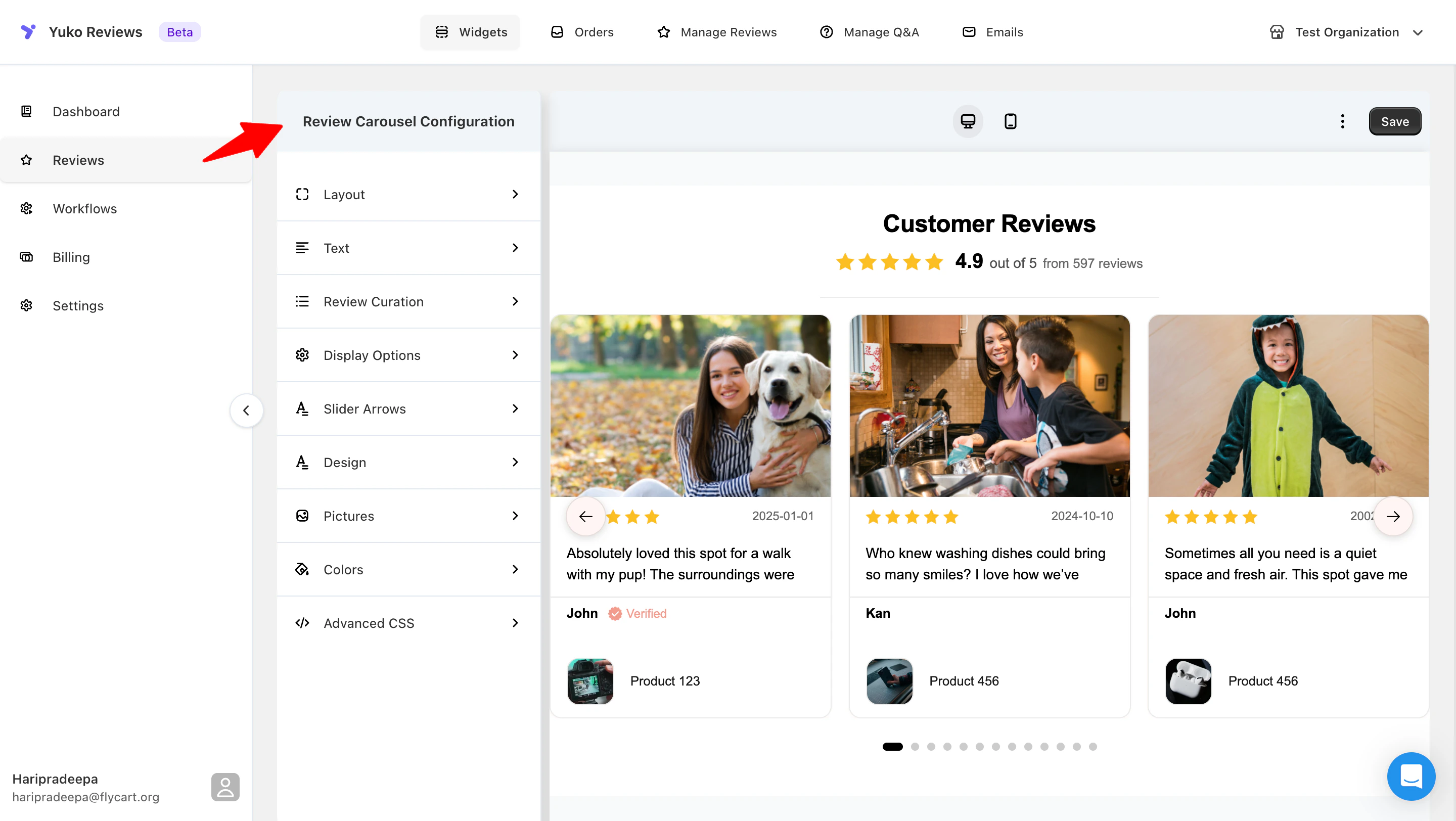
How to Customise Carousel Widget:
The following options are available for customisation:Layout
Choose how reviews move and align inside the carousel:- Focused View – Highlights one main review
- Vertical Sliding – Slides reviews vertically
- Centered – Centers review cards for a balanced look
Text
Customize the text shown in and above the carousel:- Header text
- Out of text (e.g., “out of 5”)
- Review count text using
{{n}}
Review Curation
Decide which reviews appear:- Show recent reviews or manually curate
- Set a minimum star rating
Review Display
Control what appears on each review card:- Number of reviews shown
- Reviewer name
- Review date
- Product block (image and title)
Slider Controls
Adjust navigation and animation:- Arrow position
- Auto-play
- Pagination dots
Design
Style the structure of review cards:- Show or hide star ratings
- Show or hide verified badge
- Set card height and carousel width
- Enable card shadow and rounded corners
Pictures
Manage images in the carousel:- Disable images
- Show product images
- Show review images (if available)
- Adjust image size (0px = auto-optimize)
- Prioritize reviews with pictures
Colors
Customize widget colors:- Header text
- Backgrounds (widget, cards, shadows)
- Text and rating icons
- Verified badge
- Slider arrows