
Navigation
Yuko Dashboard → Settings → Account → Security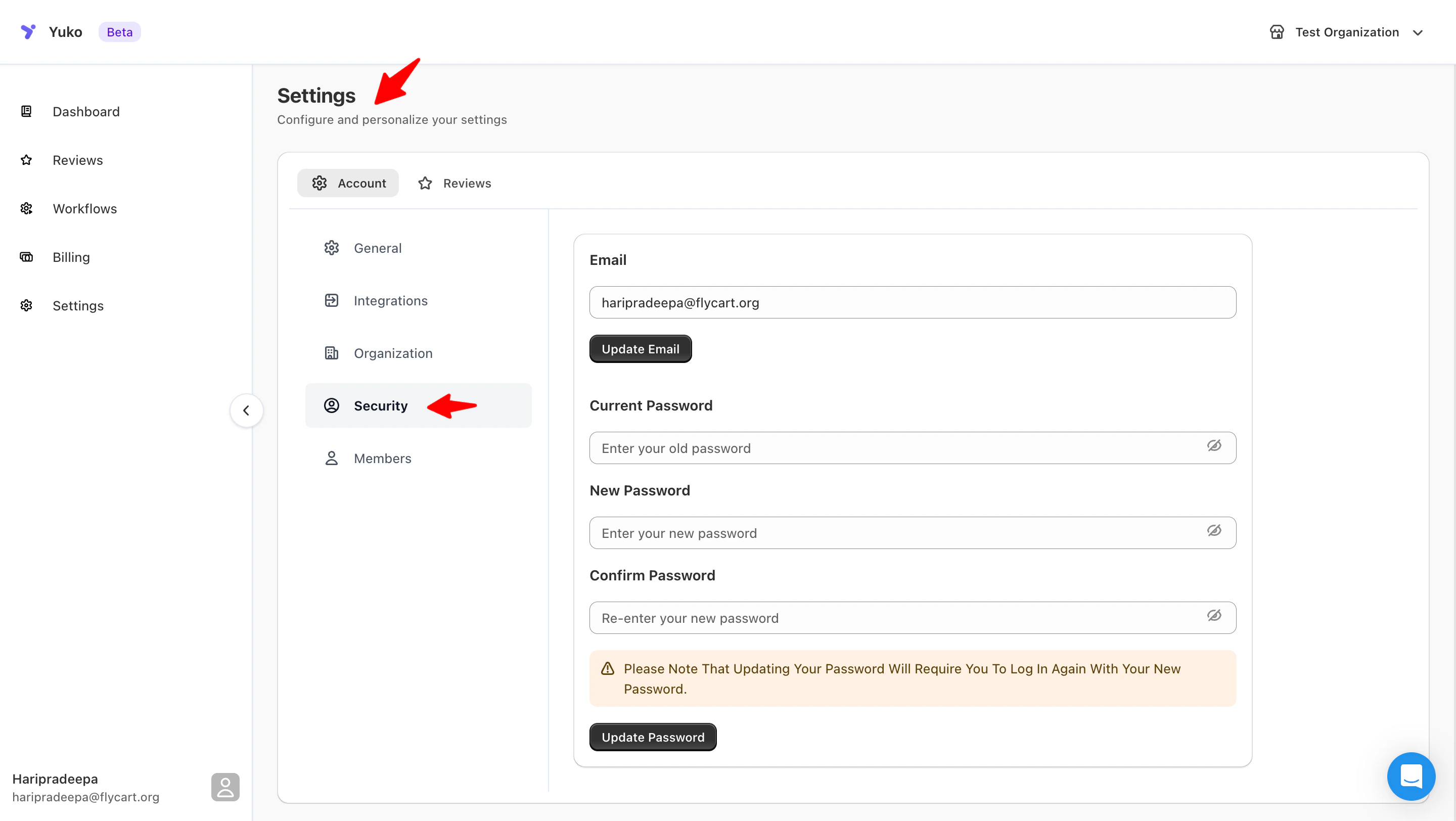
Overview
Manage your account’s login credentials and keep your Yuko workspace secure.You can update your registered email address and change your password anytime to maintain account safety.
Available Options
| Setting | Description |
|---|---|
| Update the email address associated with your Yuko account. Click Update Email to save the change. | |
| Current Password | Enter your existing password to authorize updates. |
| New Password | Create a new secure password for your account. |
| Confirm Password | Re-enter the new password to confirm the change. |
| Update Password | Click to apply your new password. You’ll need to log in again using the updated credentials. |