
In this guide, we’ll walk you through each widget, what it does, and how it appears on your store — so you can create a smooth and trustworthy shopping experience for your customers.
Navigation
Yuko Dashboard → Reviews → Widgets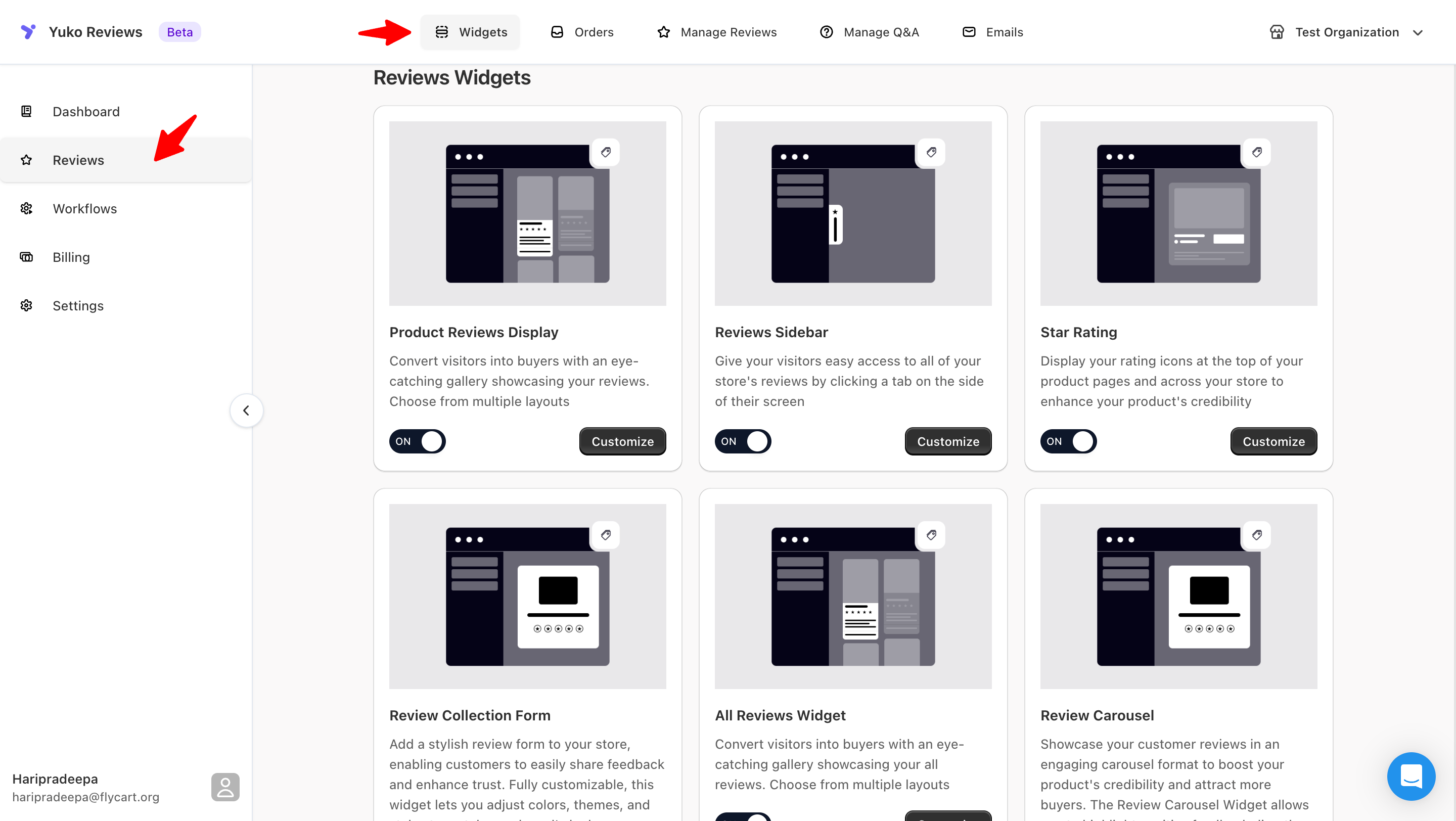
Why widgets matter
Displaying reviews at key stages of the buying journey increases trust and gives customers the confidence to complete their purchase.With Yuko’s widgets, you can feature your best feedback, boost product credibility, and highlight real customer experiences across your store. All widgets include options for:
- Custom colors & fonts
- Layout & visibility rules
- Advanced CSS styling
- Responsive display across devices
Available Widgets
Product Reviews Display Widget
Product Reviews Display Widget
This widget shows all customer reviews on your product pages.
It usually appears below your product description.
Customers can read reviews, see photos or videos, and check the rating before buying.
Learn more
It usually appears below your product description.
Customers can read reviews, see photos or videos, and check the rating before buying.
Learn more
- How to add the Product Reviews Display Widget
- How to style and customize it
Sidebar Widget
Sidebar Widget
Star Rating Widget
Star Rating Widget
This widget shows the star rating and the total number of reviews for each product.
You can display it under product titles, on collection pages, or in search results.
It helps customers quickly compare products.
You can display it under product titles, on collection pages, or in search results.
It helps customers quickly compare products.
Learn more
- How to enable the Star Rating Widget
- How to show star ratings on collection pages
All Reviews / Wall of Fame Widget
All Reviews / Wall of Fame Widget
This widget shows all approved reviews in one place.
It can be used as a full page or a section on your site.
Customers can scroll through every review from your store.
It can be used as a full page or a section on your site.
Customers can scroll through every review from your store.
Learn more
- How to create a Wall of Fame Widget
- How to customize the layout
Carousel / Testimonial Widget
Carousel / Testimonial Widget
This widget shows reviews in a rotating slider.
It is great for homepages, landing pages, or any place where you want to highlight your best reviews.
You can choose which reviews appear and how they rotate.
It is great for homepages, landing pages, or any place where you want to highlight your best reviews.
You can choose which reviews appear and how they rotate.
Learn more
- How to add the Carousel / Testimonial Widget
- How to select reviews for the carousel
Flowing Review Badge (Coming Soon)
Flowing Review Badge (Coming Soon)
The Flowing Review Badge is a small floating badge that shows recent reviews or rating highlights.
It updates while customers browse, giving real-time social proof.
This helps build trust without disrupting the page.Guides will be available when this feature is launched.
It updates while customers browse, giving real-time social proof.
This helps build trust without disrupting the page.Guides will be available when this feature is launched.
Review Display Controls
Review Display Controls
These controls help you manage how reviews are shown.
You can sort reviews, filter them, hide low-star reviews, or pin important ones.
This gives you full control over what customers see.
You can sort reviews, filter them, hide low-star reviews, or pin important ones.
This gives you full control over what customers see.
Learn more
- How to use Review Display Controls
- How to filter and sort reviews