
Navigation
Yuko Dashboard → Reviews → Widgets → Q&A Display Widget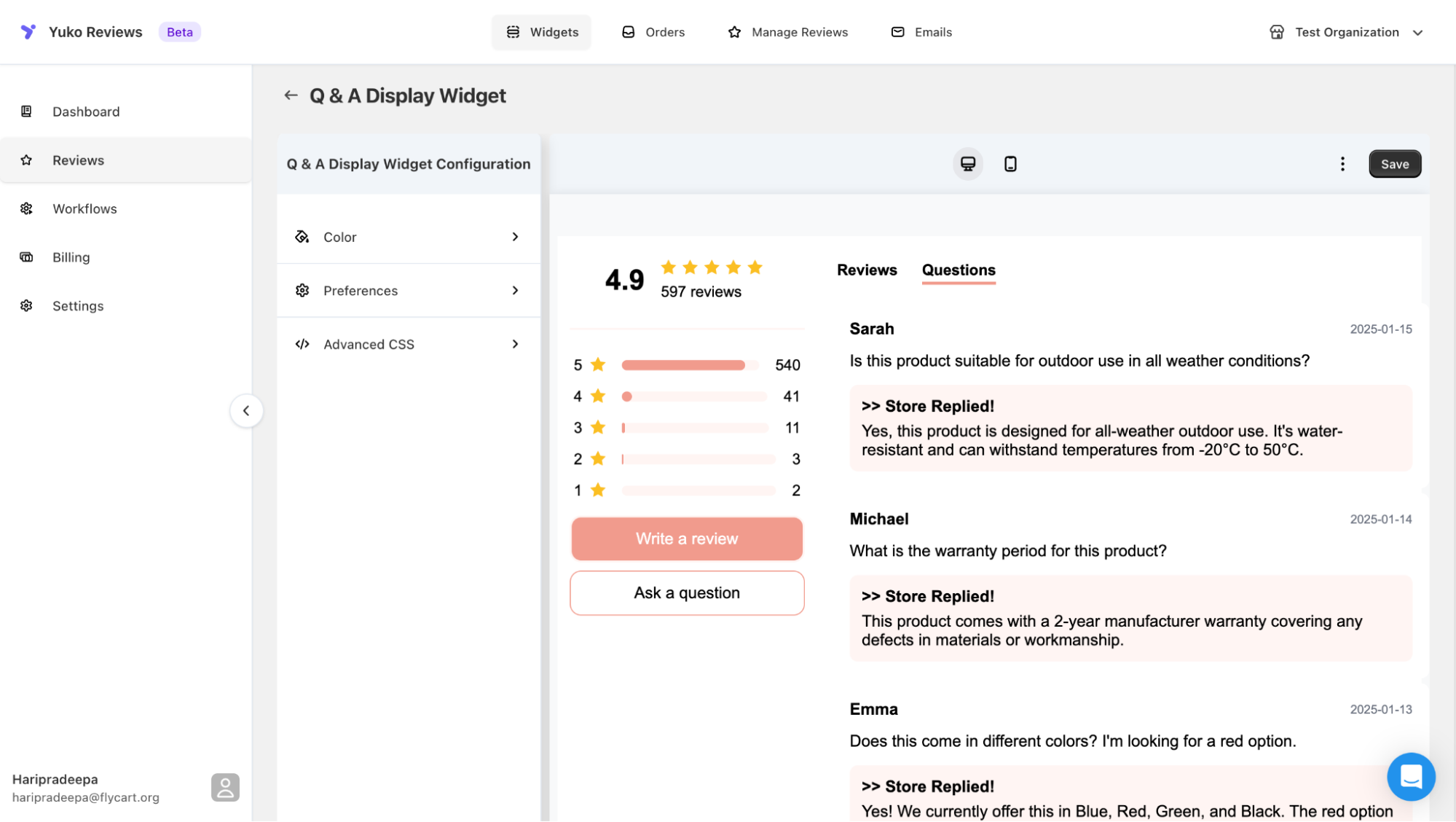
Overview
The Display Widget shows all published Q&As for a specific product, helping customers find quick answers before contacting support. You can position it anywhere on your product page or sidebar — or use it in combination with review widgets for a complete social proof section.Setup Steps
- Go to Yuko Dashboard → Reviews → Q&A Display Widget
- Customize the following options:
- Color – Adjust text, border, and background colors to fit your store’s design.
- Preferences – Control how questions and answers are shown to customers (sorting, visibility, and structure).
- Advanced CSS – Add custom styling for a fully branded appearance.
- Use the desktop / mobile preview toggle at the top to see how it looks across devices.
- Click Save to apply your changes instantly.
Widget Configuration Options
| Setting | Description |
|---|---|
| Color | Personalize widget elements such as button color, highlight tones, and reply backgrounds. |
| Preferences | Define how Q&A items are displayed — including order, pagination, and store reply visibility. |
| Advanced CSS | Apply custom CSS rules for advanced layout and style control. |
1) Color Settings :
Layout- Background color
- Hover Background color
- Text color
- Hover Border color
- Date color
- Reply Text Color
- Reply Title Color
- Background color
- Background
- Background Hover
- Text
- Text Hover
- Border color
2) Preferences
Display Controls- Show question date
- Show question reply date
- Show “Ask a Question” button
- 10
- 5
- No limit
- Title
- Questions tab text
- Reply Header Text
- Ask a Question Text
- Pagination Button Text
3) Advanced CSS
For full design control. You can embed CSS to:- Re-style form layout
- Adjust typography
- Modify button styles
- Support dark/light themes
- Override theme-specific limits (Ideal for developers and custom UI requirements.)
Display Features
- Integrated Reviews + Questions Tabs
Customers can switch between product reviews and Q&As in a single unified widget. - Prominent Call-to-Action Buttons
“Ask a question” and “Write a review” buttons appear clearly under the rating summary to encourage user engagement. - Highlighted Store Replies
Merchant responses appear in visually distinct boxes for improved readability and trust-building. - Optional Date Display
Show or hide question and reply timestamps depending on your storefront style.