
Keep Your Review Section Clean and Professional
Review moderation tools help you maintain quality standards while preventing spam, fake reviews, and inappropriate content. Set up automated filters and manual approval workflows that match your brand’s needs. What you’ll achieve:- Block spam and fake reviews automatically
- Filter profanity and inappropriate language
- Set up approval workflows for quality control
- Maintain professional review section
- Protect brand reputation
Impact: Stores with active moderation see 60% less spam and maintain 25% higher trust scores than unmoderated stores
Navigation:
Yuko Dashboard → Settings → Reviews → General → Review Publishing & Moderation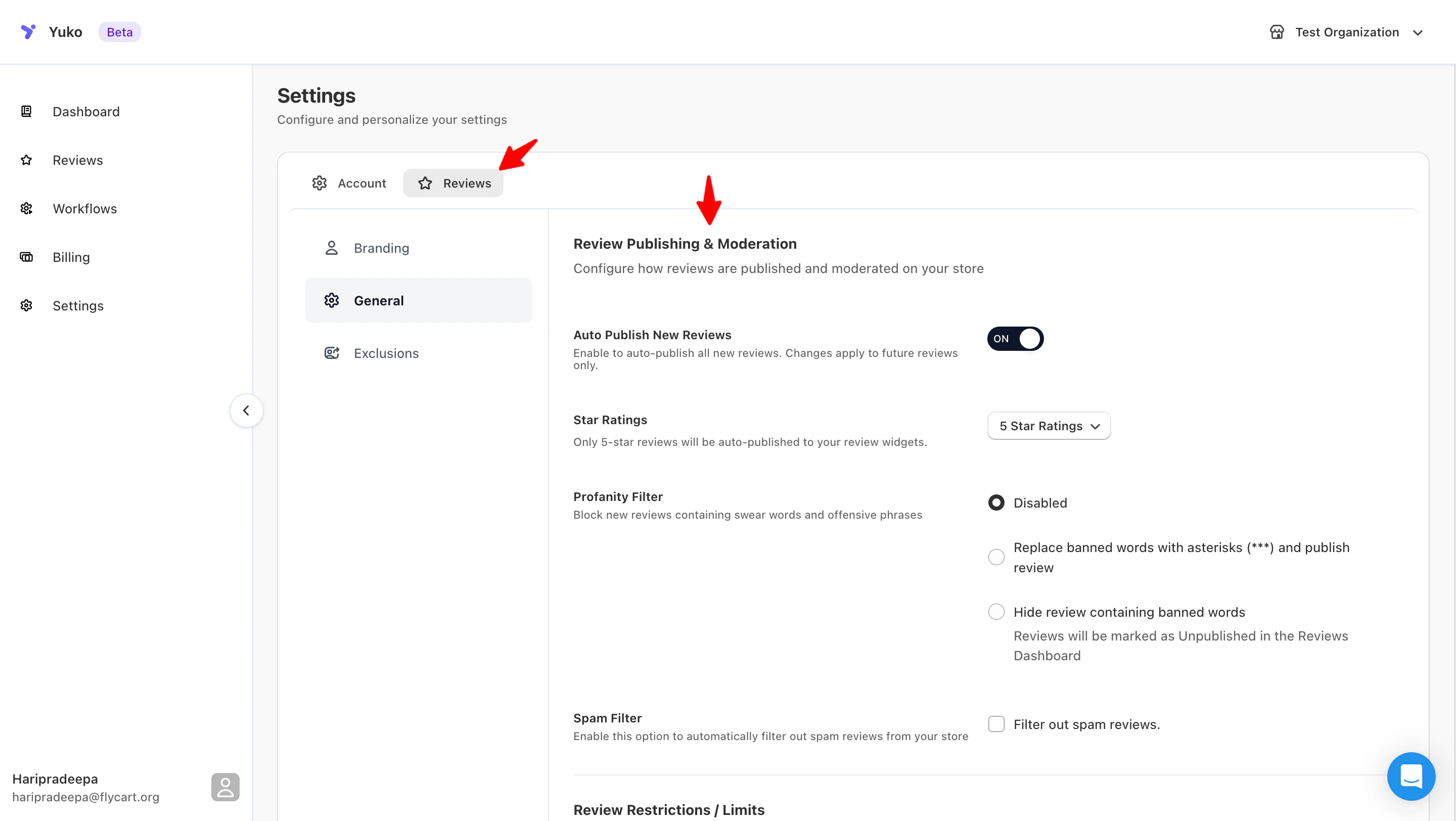
Profanity Filter
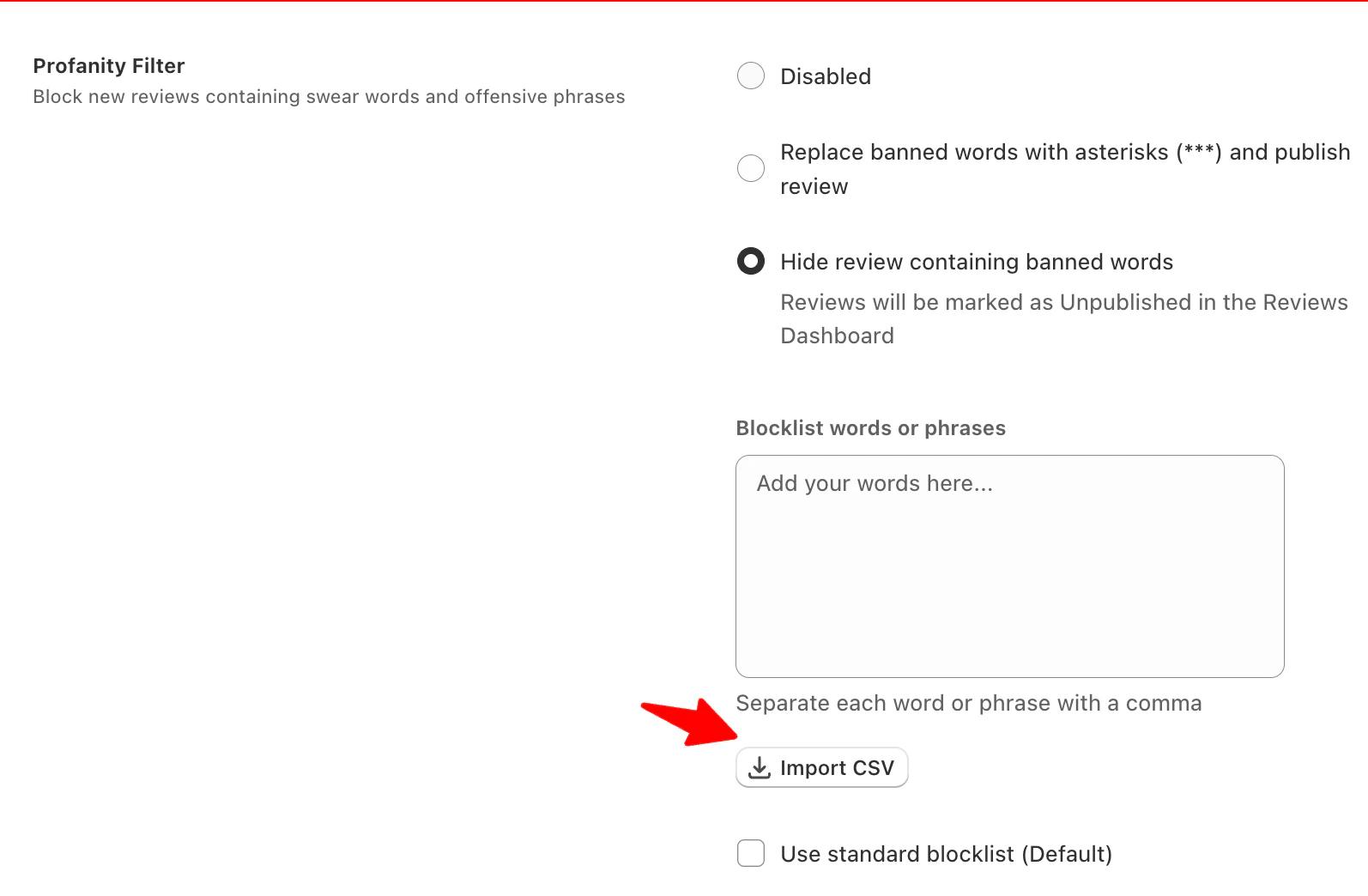
Block or censor offensive language automatically using the following settings in Yuko:- Replace with Asterisks
- Hide review containing banned words
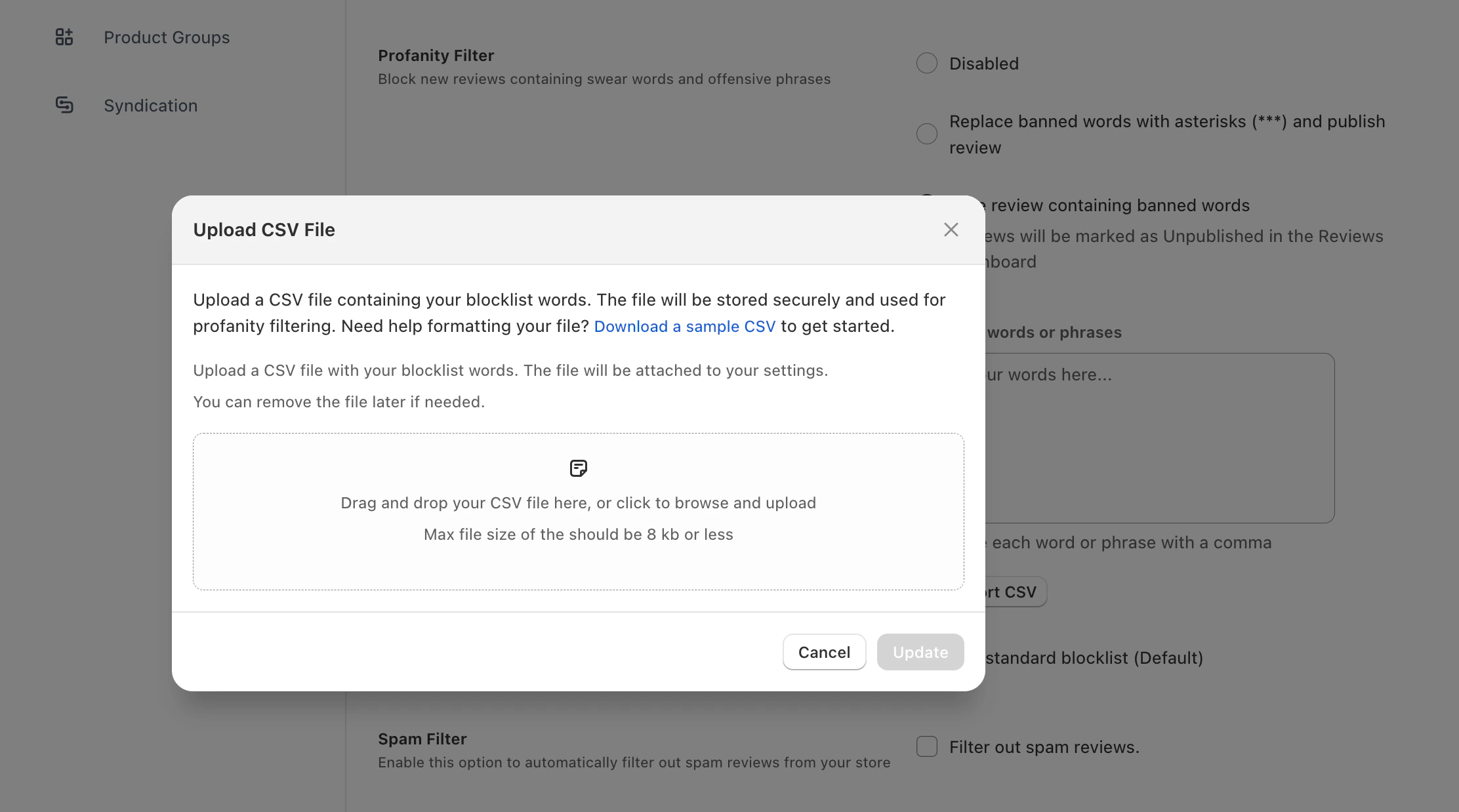
- Use standard blocklist (Default)
Automatically censor profanity
- Offensive words or phrases in a review are automatically replaced with
***. - The review remains visible on your product pages, widgets, and contributes to the average rating.
- Ensures that genuine feedback is not lost while keeping content appropriate for all audiences.
- Best practice: Use this for minor profanity to maintain flow of reviews without hiding customer sentiment.
Spam Filter
Enable Yuko’s Spam Filter to automatically block suspicious or spammy reviews from appearing on your store. This keeps your review section clean and your ratings trustworthy.How It Works
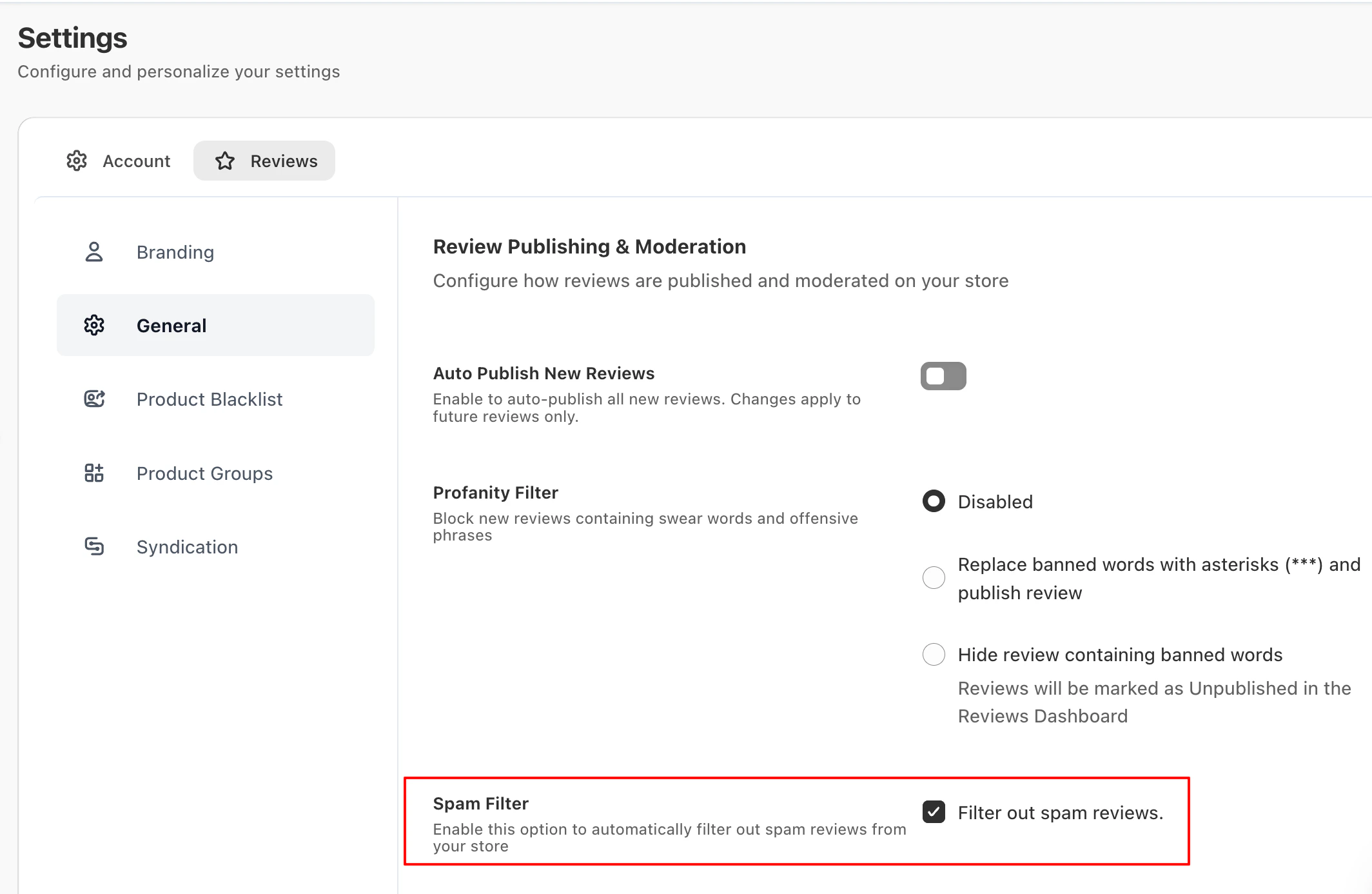
- Once enabled, Yuko scans incoming reviews for common spam indicators.
- Reviews flagged as spam are automatically hidden and moved to the Spam section in your dashboard.
Key Points
- Automatic Protection: Reduces fake, duplicate, or malicious reviews.
- Minimal Manual Work: Just enable the filter—Yuko handles the rest.
- Review Spam Folder Occasionally: Check periodically for any legitimate reviews mistakenly flagged.
Best For
- Stores receiving frequent reviews
- Stores wanting to maintain accurate ratings and customer trust
Next Steps
Set Up Email Blacklist
Block known spam domains.Time: 10 minutes → Email blacklist setup
Choose Moderation Workflow
Decide: Manual, filtered auto-publish, or full auto.Time: 15 minutes → Auto-publishing configuration
Need Help?
Book Free Setup Call
Talk to our team for personalized setup helpTime: 30 minutes
Contact Support
Email us at support@yuko.soResponse time: Within 24 hours
View All Guides
Browse detailed guides for every feature
Integration Help
Connect Yuko with other tools
Pro tip: Start with “hold for manual review” for profanity and spam. After 30 days, you’ll understand your false positive rate and can switch to more aggressive auto-hide if filters are working well.