
Navigation
Yuko Dashboard → Reviews → Widgets → All Reviews Widget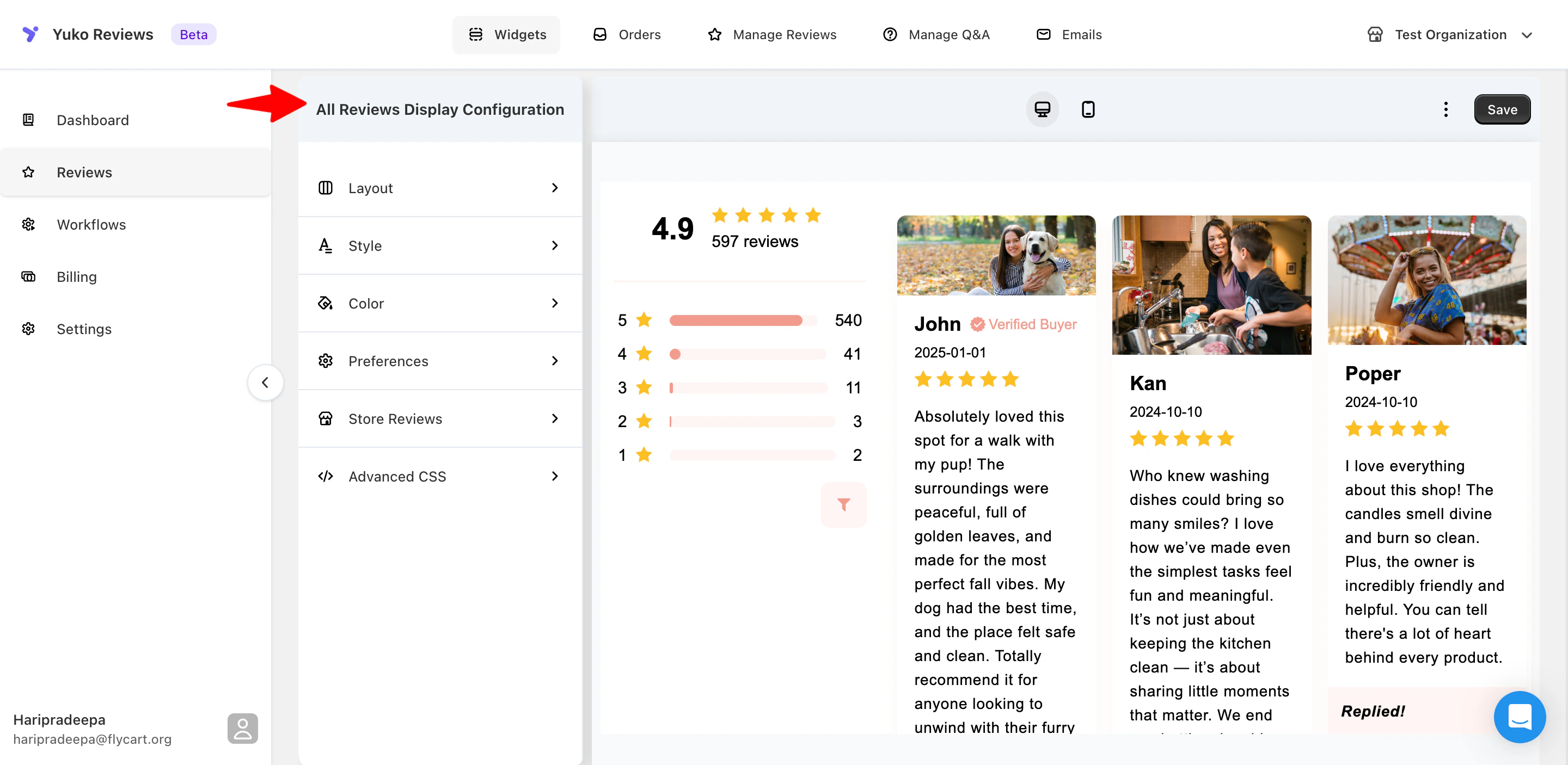
It’s ideal for testimonial pages, community pages, landing pages, or any page where you want to show social proof at scale. This widget helps customers explore real experiences from your entire store, not just one product, which can greatly improve trust and conversions.
How It Works
The Wall of Fame Widget collects all approved reviews (product reviews, shop reviews, or both) and displays them based on your selected layout. You can customize:- Which types of reviews appear
- Whether reviews with photos/videos appear first
- How reviews load (all at once or infinite scroll)
- Headings and labels
- Colors, spacing, and typography
Widget Settings
1. Layout
| Option | Description |
|---|---|
| Widget Layout | Grid, List, Mosaic, Horizontal, Compact |
| Review Card Shadow | Classic, Dark, Light, None |
| Review Card Corners | Sharp, Slightly Rounded, Rounded, Extra Rounded, None |
2. Color Settings
| Element | Option |
|---|---|
| Header | Text Color |
| Description | Text Color |
| Bar Fill | Color |
| Bar Background | Color |
| Rating Icon | Icon Color |
| Buttons | Text Color, Text Hover, Background, Background Hover |
| Reviews | Text Color, Background, Background Hover, Shadow Color, Separator Color |
| Replies | Text Color, Background Color |
| Verified Badge | Icon Color |
3. Preferences
| Option | Description |
|---|---|
| Display | Show or hide the widget |
| Show Review Title | ON/OFF |
| Show Review Date | ON/OFF |
| Show Product Variants | ON/OFF |
| Show Product Block | ON/OFF |
| Header Section | Show main header section |
| Out of / Based on | Rating text labels |
| Verified Badge Text | Customize verified badge text |
| Verified Buyer | Display verified buyer info |
| Reply Section Text | Customize reply header text |
| Replied! | Text for replied reviews |
| No Reviews Title | Empty state title when no reviews exist |
| Button Text | Pagination button text |
| Tab Section | Reviews tab text |
| Sort Options Text | Label for sorting options (Newest, Oldest, Highest Rating, Lowest Rating) |
| Sorting | Enable/disable sorting options |
| Reviews Per Page | Number of reviews per page |
| Filtering | Enable/disable rating filter options |
Note: Changes can be previewed on your store by clicking Check store to view this change.
4. Store Reviews
| Option | Description |
|---|---|
| Display | Enable or disable store reviews |
| Reviews Per Page | Number of store reviews per page |
| No Reviews Text | Text displayed when no store reviews exist |
| Write a Store Review Button Text | Text for the store review button |
| Pagination Button Text | Text for the pagination button |
| Store Reviews Tab | Tab label for store reviews |
5. Advanced CSS
For additional styling control, you can add custom CSS: Steps:- Enable Custom CSS
- Open the CSS Editor
- Add your CSS code
- Click Save