
Navigation
Yuko Dashboard → Settings → Account → Organization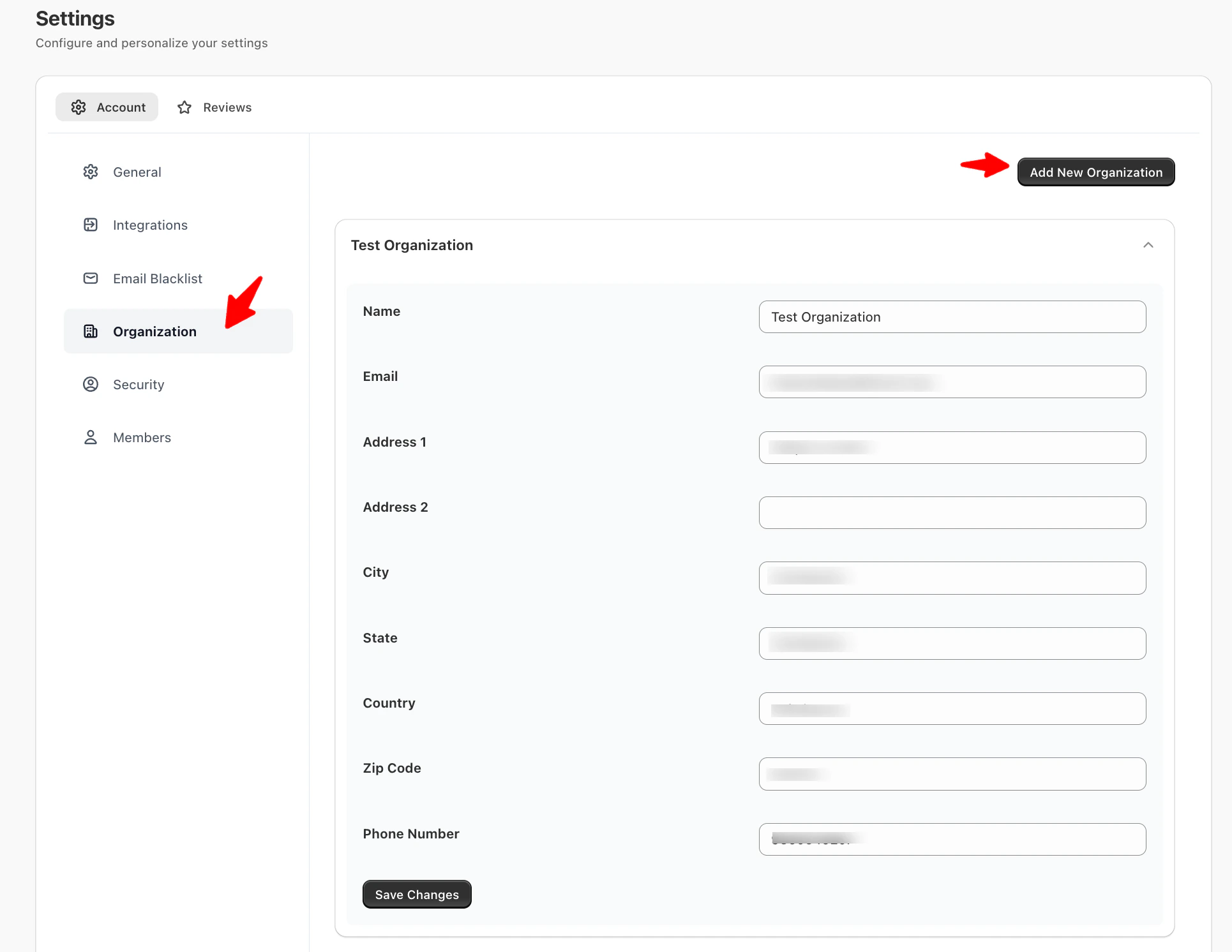
Overview
Manage and organize business details for your account. Organizations allow you to manage multiple business entities under one Yuko account. Each organization can have its own members, settings, and reporting.This section lets you update your organization’s information and also add new organizations — useful if you manage multiple brands or clients under one Yuko account.
Available Fields
Adding a New Organization
Navigation: Yuko Dashboard → Settings → Account → Organization- Click Add New Organization.
- Enter the following details:
- Name: Organization name.
- Email: Official email address for notifications.
- Address 1 & 2: Street address.
- City, State, Country, ZIP Code
- Phone Number
- Click Create Organization.
- The new organization will appear in the list.
Managing Multiple Organizations
- Repeat the above steps to add more organizations.
-
Switching Between Organizations: In the top-right corner of the dashboard, you’ll see a dropdown menu displaying the currently selected organization.
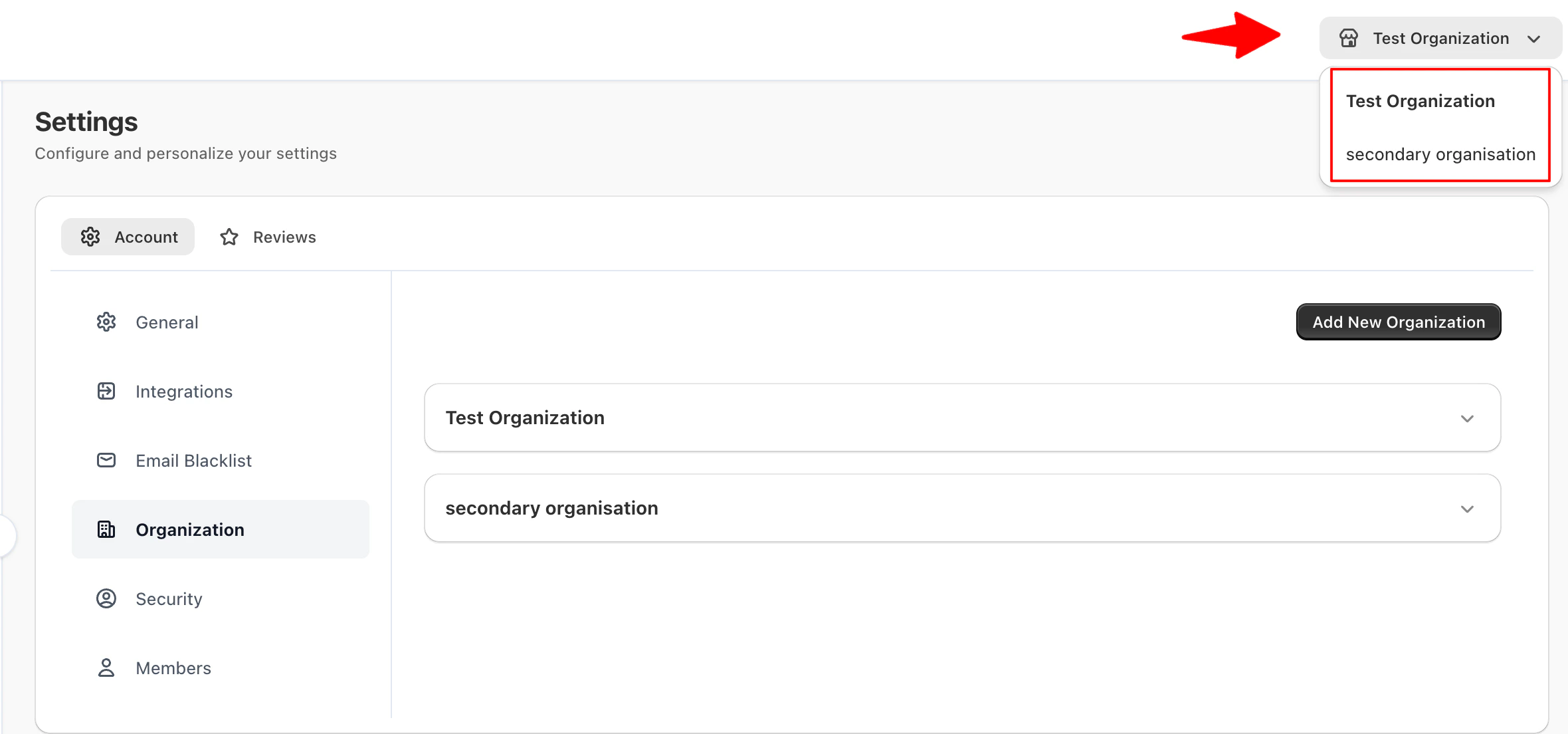
- Click the dropdown to select any of the organizations you’ve added.
- Once selected, all dashboard views, reports, and settings will correspond to the chosen organization.
Tips
- Add all organizations you manage to quickly switch between them.
- Give each organization a clear and meaningful name to avoid confusion when selecting from the dropdown.
- Use the dropdown to confirm which organization you’re currently managing before making changes or sending notifications.