
Important: This functionality works only when the WPLoyalty – Yuko Reviews Add‑On is installed and activated. Without the add‑on, reviews submitted via Yuko will not trigger loyalty points.
What This Add‑On Does:
With the WPLoyalty – Yuko Reviews Add‑On, you can:- Automatically award loyalty points to customers when they submit product reviews through Yuko.
- Only reward approved reviews, according to your WPLoyalty campaign settings.
- Encourage more feedback and increase repeat purchases.
Note: Some features require the PRO version of WPLoyalty.
Get WPLoyalty PRO
Get WPLoyalty PRO
Installation & Activation
Follow these simple steps:Download the Add‑On
Get the WPLoyalty – Yuko Reviews Add‑On here: https://wployalty.net/add‑ons/yuko‑product‑reviews/
Install and Activate
- Ensure the WPLoyalty plugin is already installed and active.
- Upload, install, and activate the WPLoyalty – Yuko Reviews Add‑On.

Configuring the Add‑On
1. Set Up the Webhook- After activation, a Webhook URL appears on the add‑on page.
-
Copy this URL.

- Log in to your Yuko Dashboard.
- Navigate to Settings → Integrations → Add Webhook.
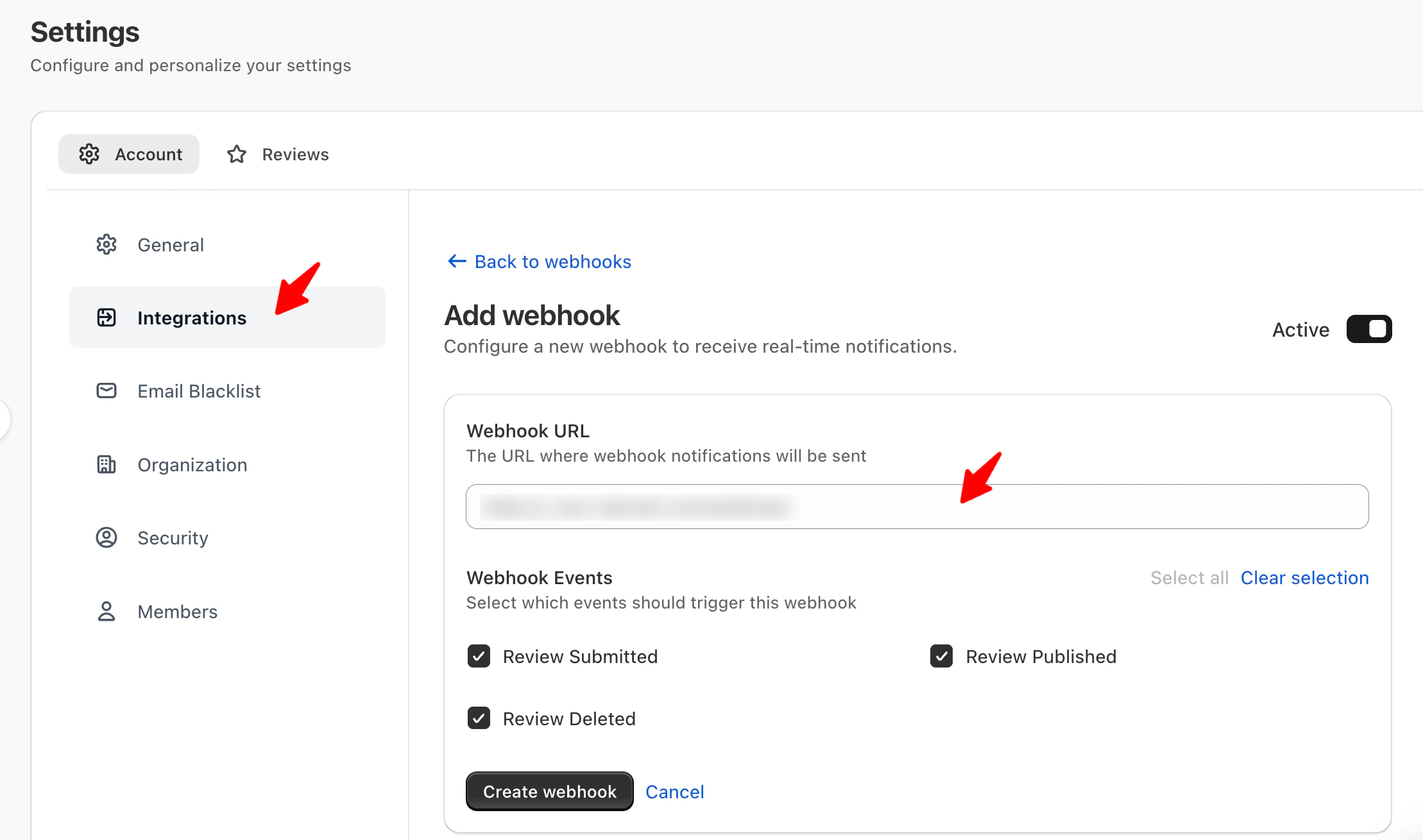
- Paste the Webhook URL copied from the add‑on.
- Under Webhook Events, choose which events should trigger the webhook.
- You can select one or multiple of the following: Review Submitted – triggers when a customer submits a review. Review Published – triggers when a review is approved/published. Review Deleted – triggers when a review is removed.
- Yuko generates a Signature Key after the webhook is created.
-
Copy this key.
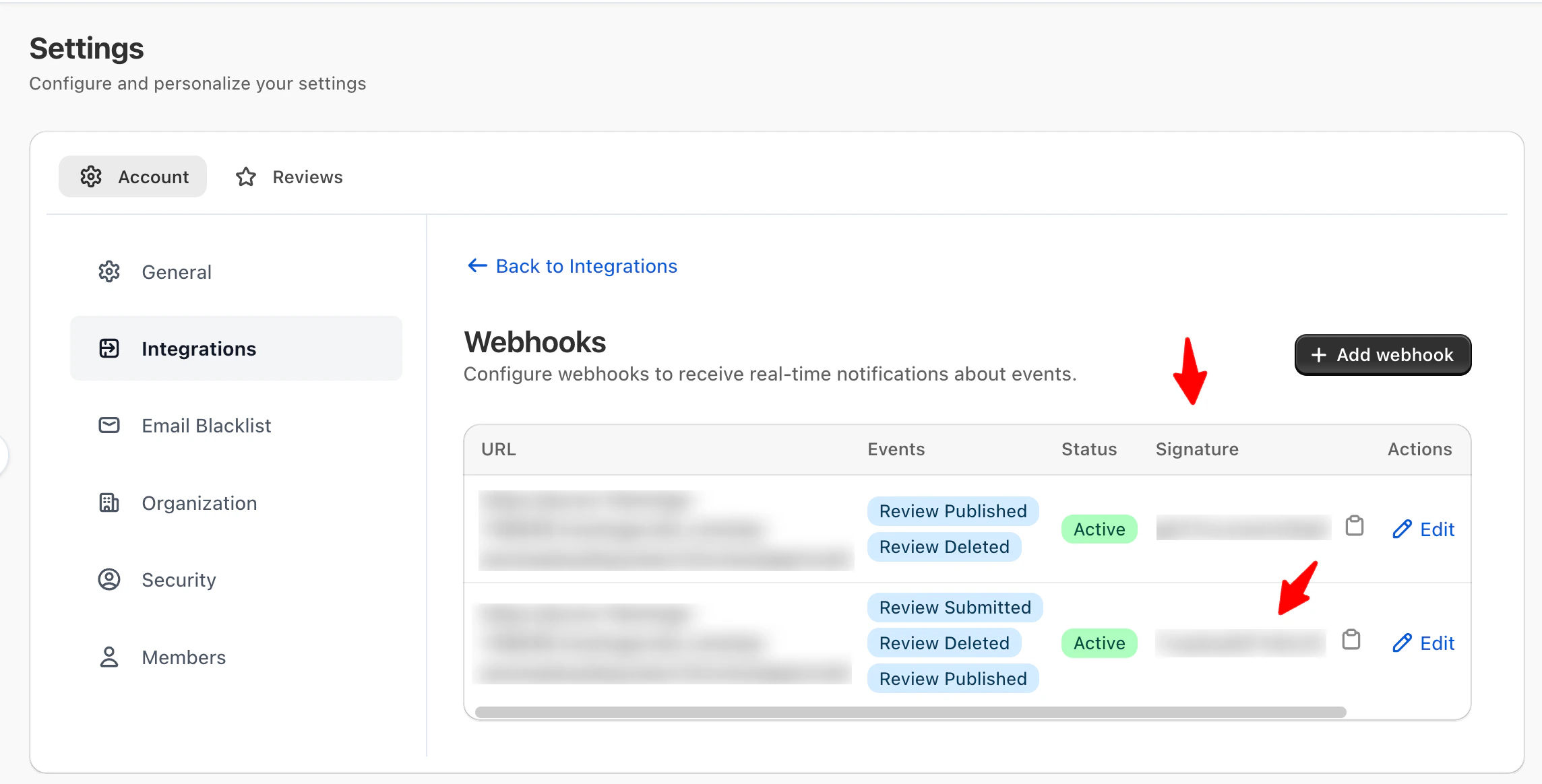
- Return to the WPLoyalty add‑on page.
- Paste the key into the Secret Key field.
How the Add‑On Works
Once the WPLoyalty – Yuko Reviews Add-On is active and the webhook is configured:- Customers can earn points/rewards when the chosen webhook event(s) occur.
- For example, if you selected Review Published, points are awarded only when reviews are approved.
- If you select Review Submitted, points can be awarded immediately after submission, even before approval.
Reminder: Rewards happen only via the add-on and are triggered by the events you selected in Yuko’s advanced webhook settings.
Quick Setup Checklist
Install WPLoyalty
Install & Activate the WPLoyalty – Yuko Reviews Add‑On
Copy Webhook URL from the add‑on page
Add Webhook URL in Yuko → Choose events
Copy Signature Key from Yuko
Paste Signature Key into the add‑on settings
This feature is available in Advanced and Growth Plans