
Navigation
Yuko Dashboard → Settings → Account → General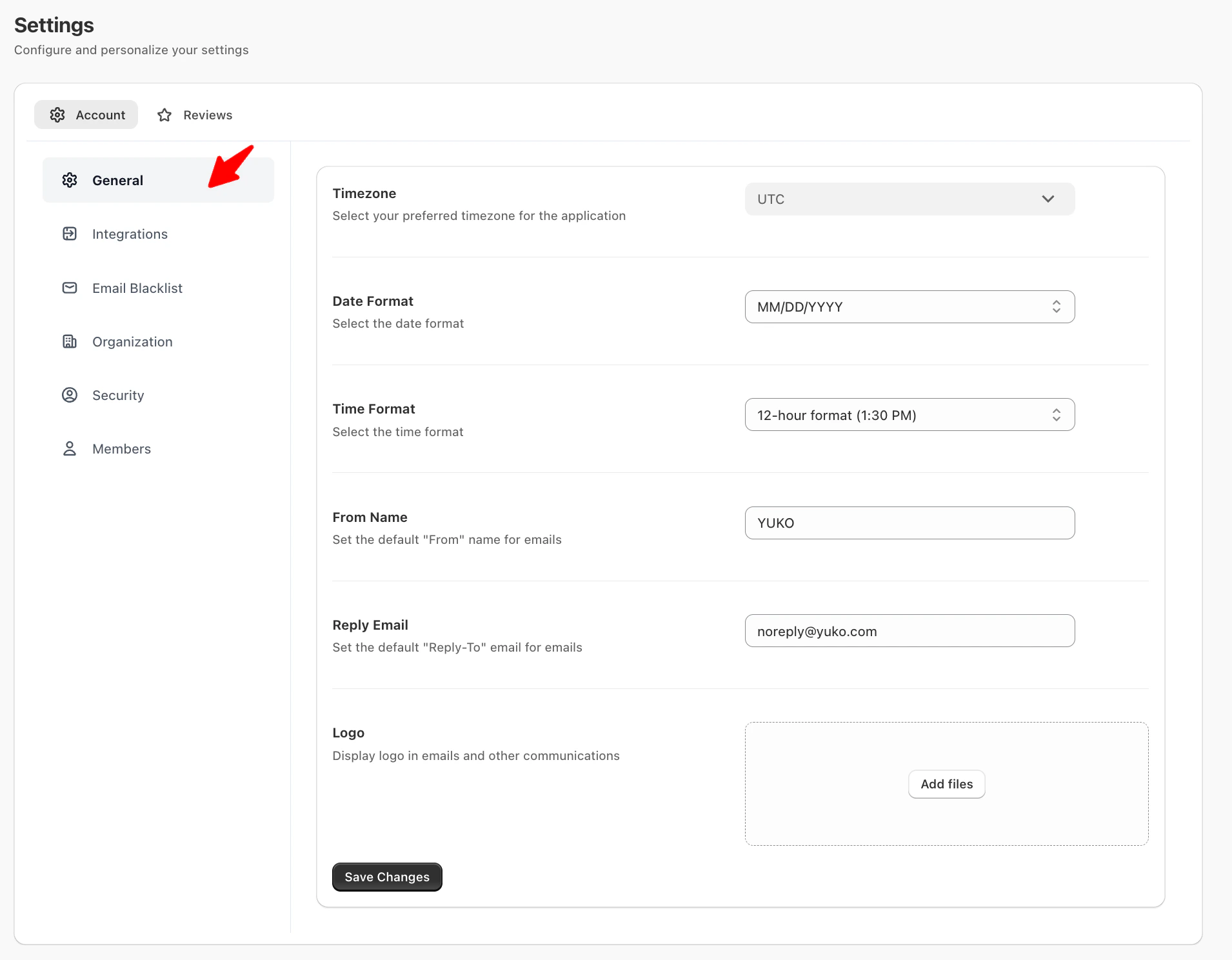
From email sender details to time zone configuration, these settings apply across all Yuko emails and activities.
General Settings
| Setting | Description |
|---|---|
| Timezone | Choose your preferred time zone for all application activities and email scheduling. |
| Date Format | Select how dates are displayed (e.g., MM/DD/YYYY). |
| Time Format | Choose between a 12-hour or 24-hour time display. |
| From Name | Define the sender name that appears in outgoing emails (e.g., “Yuko” or your brand name). |
| Reply Email | Specify the default “Reply-To” email address for responses (e.g., noreply@yuko.com). |
| Logo | Upload your company logo to appear in emails and other communications. |
Accessing Account General Settings
- Log in to your Yuko Dashboard.
- Navigate to Settings → Account Settings → General.
Configurable Fields
- Time Zone:
Select your local time zone. This ensures timestamps on reviews, notifications, and dashboards are accurate. - Date Format:
Choose your preferred format (e.g.,DD/MM/YYYYorMM/DD/YYYY). This format will be used throughout your dashboard and in exported reports. - Time Format:
Select between 12-hour or 24-hour formats for displaying time. - From Name:
The default name displayed when Yuko sends emails to customers. Example: “Your Store Team.” - Reply Email:
The default email address customers can reply to for review notifications.
Tips
- Keep your From Name and Reply Email consistent with your store branding to improve open rates.
- If you manage multiple time zones, ensure your Time Zone reflects your primary operational region.